A full wrestling booking game for the Playdate
The whole wrestling business, in the palm of your hand.
Run the company. Book the shows. Build the stars. Sign the talent, write the stories, fight for television, and turn a small promotion into the biggest in the world, on a console that fits in your pocket and has a crank.
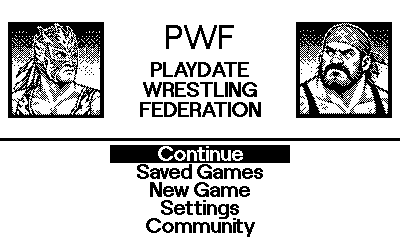
What is in it
On the Playdate
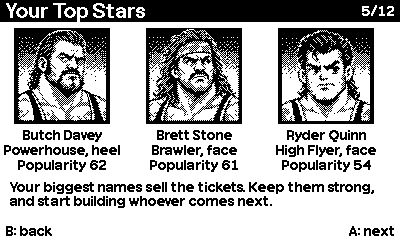
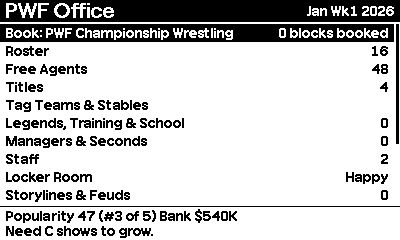
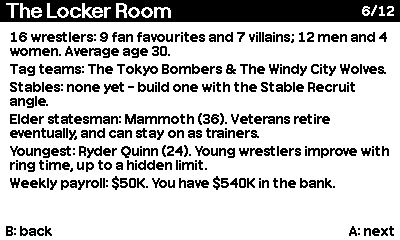
Make your own world, and share it
The PWF Editor runs in your browser. Build any roster you like, turn your own pictures into Playdate portraits, rename the rivals, and invent match types and gimmicks.
Publish it to the mod library and any player can install it from inside the game, over Wi-Fi, without touching a computer.
Backing up your games
Your saved games are ordinary files. You can copy them to a computer to keep them safe, or to keep more than the three the game has slots for.
- Getting at them: on the Playdate, go to Settings > System > Reboot to Data Disk and plug it into a computer. It appears as a drive. Open Data, then the folder whose name ends in com.playdatewrestlingfederation.pwf.
- What is there: world1.json, world2.json and world3.json are your three save slots. database.json and portraits.json are your own database. Files beginning mod are databases you installed.
- To back up: copy the whole folder to your computer. That is everything.
- To restore: copy it back, replacing what is there.
- More than three games: copy a world file to your computer and call it anything you like. To play it again, copy it back as world1.json, world2.json or world3.json, replacing a slot you can spare (back that one up first). The menu may show the old description until you load it once.
- A game started with an installed database needs that database on the Playdate to show its portraits. Keep the mod files with it, or back up the whole folder.
- Eject the Playdate before unplugging it.
The same notes are in the game: Help > Backing up to a computer. A saved game can also be opened in the editor.
Community
Share what you make, ask questions and see what is coming.

discord.gg/PneXBZY6ds